You open your browser.
The words look strange.
Menus feel confusing.
Settings feel hard to read.
This happens more often than you think.
Chrome updates.
Devices change.
Languages shift by mistake.
That is why learning how to change language in Google Chrome updated matters for everyday users, businesses, and marketers.
In this guide, you will learn clear and simple steps to change Chrome language on desktop and mobile. You will also see how browser language affects social media marketing, user trust, and online growth.
Why Chrome Language Settings Matter
Language controls comfort.
When users feel lost, they leave.
When menus confuse, work slows.
Clear language improves:
Browsing
Work speed
Marketing results
Small settings create big results.
What Is Social Media Marketing and Why Language Matters
Let us start simple.
What is social media marketing?
It is how brands connect with people online using content, trust, and clarity.
Language plays a key role. If users do not understand your content, they do not engage. Browser language shapes how people see your site, ads, and posts.
Why Chrome Language Changes Automatically
Chrome updates often.
New devices sync settings.
Google accounts sync preferences.
Sometimes Chrome:
Switches language
Adds a new language
Moves your default setting
It is normal.
It is fixable.
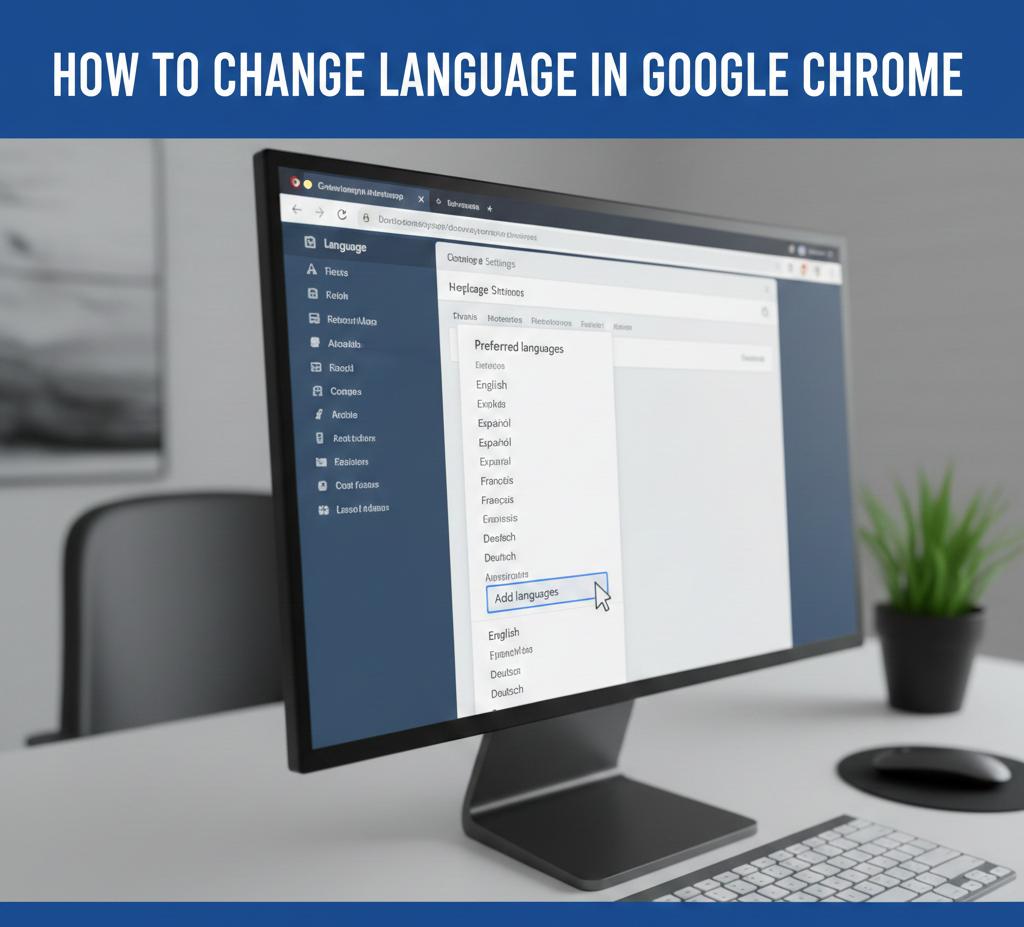
How to Change Language in Google Chrome Updated on Desktop
This method works for Windows and Mac.
Step One: Open Chrome Settings
Open Google Chrome.
Click the three dots in the top right corner.
Click Settings.
Step Two: Go to Languages
Scroll down.
Click Advanced.
Find the Languages section.
Step Three: Add Your Preferred Language
Click Add languages.
Search for your language.
Select it.
Click Add.
Step Four: Set Language as Default
Click the three dots next to your language.
Choose Display Google Chrome in this language.
Restart Chrome.
Language changes apply.
How to Change Chrome Language Without Restart Issue
Some users face restart problems.
Fix it by:
Closing all Chrome windows
Reopening Chrome
Signing out and back in
Updates apply cleanly.
How to Change Language in Google Chrome Updated on Android
Mobile users matter too.
Steps stay simple.
Open Chrome app.
Tap three dots.
Go to Settings.
Tap Languages.
Select your preferred language.
Chrome reloads.
How to Change Language in Chrome on iPhone
Chrome on iPhone follows system language.
To change it:
Open iPhone Settings
Go to General
Tap Language and Region
Change iPhone language
Chrome updates automatically.
How Businesses Use Social Media for Marketing With Language Targeting
Language drives connection.
Here is how businesses use social media for marketing through language:
Localized posts
Translated ads
Region specific content
Native tone
People engage more when content feels familiar.
Why Is Social Media Marketing Important for Language Control
People scroll fast.
If language feels wrong, they leave.
That is why is social media marketing important. Correct language builds trust and boosts reach.
How Chrome Language Affects Website Display
Language impacts:
Auto translations
Form labels
Popups
Cookie notices
Wrong language hurts user experience.
Simple Browser Language Impact Chart
Element | Correct Language | Wrong Language
User Trust | High | Low
Time on Site | Longer | Shorter
Conversion | Better | Worse
Clarity wins.
How Effective Is Social Media Marketing With Proper Language
Here is how effective is social media marketing when language matches users:
Factor | Proper Language | Mismatch
Engagement | High | Low
Clicks | More | Fewer
Trust | Strong | Weak
Language matters.
Social Media Marketing Strategy Must Include Language
A strong social media marketing strategy includes:
Language targeting
Regional tone
Clear wording
Simple sentences
Words guide action.
How to Market Your Business on Social Media Using Language Settings
Here is how to market your business on social media better:
Match browser language
Localize landing pages
Use simple words
Avoid jargon
Comfort converts.
How to Do Social Media Marketing With Multilingual Users
Here is how to do social media marketing for mixed audiences:
Create language segments
Test translations
Use clear calls to action
Respect culture
Smart language builds loyalty.
How Much Does Social Media Marketing Cost When Language Is Ignored
Ignoring language raises cost.
More bounce rates.
Lower engagement.
More ad spend.
This shows how much does social media marketing cost when basics are missed.
How to Start Social Media Marketing With Language Optimization
If you are new:
Set browser language tests
Check site translations
Review ad copy
Test audience response
That is how to start social media marketing on solid ground.
What Does a Social Media Marketer Do About Language
A social media marketer:
Checks language display
Tests content clarity
Fixes mismatches
Optimizes experience
That is what does a social media marketer do daily.
How to Become a Social Media Marketer
You need communication skills.
Learn:
Clear writing
Audience language
Simple wording
Analytics
This is how to become a social media marketer who converts.
How to Become a Social Media Marketing Manager
Managers guide tone and reach.
They:
Approve language use
Set standards
Protect brand voice
Measure results
Leadership matters. Learn more here:
https://alltipsmedia.com/ai-and-leadership-evolution-what-every-executive-should-know/
How to Start a Social Media Marketing Agency With Language Focus
Agencies serve many regions.
Steps include:
Multilingual support
Clear workflows
Quality control
Cultural awareness
This is how to start a social media marketing agency that scales globally.
Strategy alignment helps here:
https://alltipsmedia.com/how-to-align-ai-strategy-with-executive-leadership-goals/
What Is a Social Media Marketing Agency
A social media marketing agency helps brands connect with people through content, clarity, and trust.
Influence begins with understanding. Learn more here:
https://alltipsmedia.com/using-ai-to-strengthen-leadership-communication-and-influence/
Common Chrome Language Problems and Fixes
Problem one
Language resets after update
Fix by reselecting default language.
Problem two
Some pages still show old language
Clear cache and cookies.
Problem three
Auto translate pops up
Disable translate in settings.
Tips to Avoid Language Issues in Chrome
Keep Chrome updated.
Review language list monthly.
Remove unused languages.
Test incognito mode.
Small habits prevent confusion.
FAQs About Changing Language in Google Chrome Updated
Can Chrome show multiple languages
Yes, but one stays default.
Does Chrome auto translate pages
Yes, based on language settings.
Can I remove a language
Yes, remove it from language list.
Does Chrome sync language across devices
Yes, when signed in.
Is language change reversible
Yes, anytime.
Final Thoughts
Learning how to change language in Google Chrome updated saves time, stress, and confusion.
Language affects:
Browsing
Marketing
Trust
Growth
Small settings shape big outcomes.
If you want to master digital tools, browser settings, and smart online growth, explore our collection pages on AllTipsMedia.
Clarity always wins.