
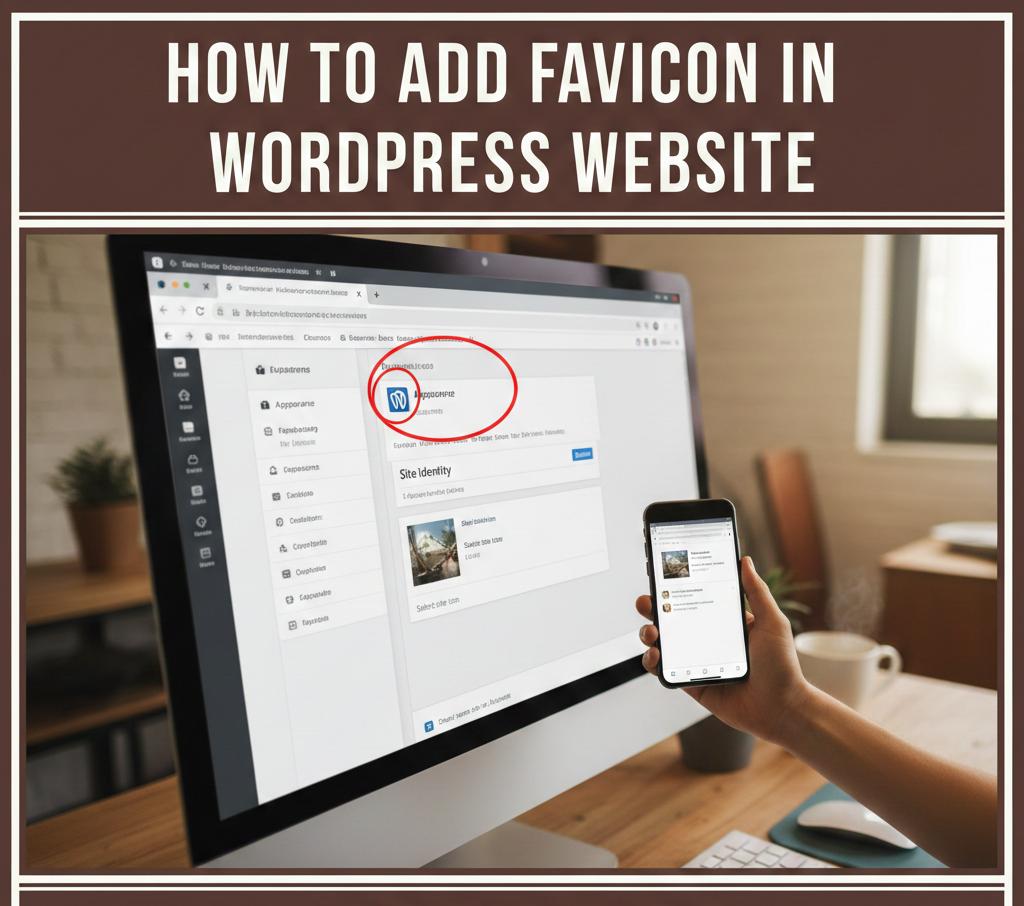
Look at your browser tab right now.
See that tiny image next to the site name?
That small icon is called a favicon.
It looks small.
But it speaks loud.
A favicon builds trust.
It boosts brand recall.
It makes your site look real.
In this guide, you will learn how to add a favicon in a WordPress website, step by step, using simple words. You will also learn why this tiny detail matters for social media marketing, branding, and user trust.
Why a Favicon Matters More Than You Think
People judge fast.
A missing favicon feels unfinished.
A blurry favicon feels careless.
Users trust brands that look complete.
That is why details matter online.
What Is Social Media Marketing and How a Favicon Fits In
Let us keep it clear.
What is social media marketing?
It is how brands build trust and awareness online through platforms, visuals, and consistency.
Your favicon appears when:
People bookmark your site
Users open shared links
Tabs stack in browsers
That tiny icon supports your brand everywhere.
What Is a Favicon in Simple Words
A favicon is a small image.
It shows:
In browser tabs
In bookmarks
In mobile shortcuts
It is part of your brand identity.
Best Favicon Size for WordPress
Before uploading, size matters.
Recommended sizes:
512 by 512 pixels
Square shape
PNG or JPG format
Clear images work best.
How to Add Favicon in WordPress Website Using Customizer
This is the easiest method.
Step One: Log in to WordPress
Go to your WordPress dashboard.
Click Appearance.
Then click Customize.
Step Two: Open Site Identity
Inside the Customizer:
Click Site Identity.
You will see an option called Site Icon.
Step Three: Upload Your Favicon
Click Select Site Icon.
Upload your image.
Crop if needed.
Click Publish.
Done.
Your favicon is now live.
How to Add Favicon in WordPress Website Using Full Site Editor
Some themes use a new editor.
Steps stay simple.
Open Appearance.
Click Editor.
Open Settings.
Go to Site Identity.
Upload the site icon.
Save changes.
How Businesses Use Social Media for Marketing With Visual Branding
Brand visuals build memory.
Here is how businesses use social media for marketing with visual identity:
Logos
Brand colors
Favicons
Profile images
Consistency builds trust.
How to Add Favicon Using a Plugin
Some users prefer plugins.
Popular plugins help:
Insert headers
Manage icons
Handle caching
Install a trusted plugin.
Upload favicon.
Save settings.
Simple.
Common Favicon Mistakes to Avoid
Avoid these errors:
Low quality images
Wrong size
No contrast
Forgetting to clear cache
Small mistakes hurt trust.
Why Is Social Media Marketing Important for Brand Identity
People see your brand everywhere.
Search results
Browser tabs
Shared links
That is why is social media marketing important. Visual consistency keeps your brand recognizable across platforms.
How a Favicon Helps Website Credibility
A favicon shows:
You care
You finished your site
You look professional
Users trust what looks complete.
Simple Branding Impact Chart
Element | Impact on Trust | Effort
Favicon | High | Low
Logo | Very High | Medium
Colors | High | Medium
Typography | Medium | Medium
Small work.
Big impact.
How Effective Is Social Media Marketing With Strong Branding
Strong visuals boost engagement.
Here is how effective is social media marketing with brand consistency:
Factor | With Favicon | Without
Trust | Higher | Lower
Clicks | More | Fewer
Recognition | Strong | Weak
Details win.
Social Media Marketing Strategy Starts With Visual Identity
A solid social media marketing strategy includes:
Same logo
Same favicon
Same colors
Same tone
Brand unity builds confidence.
How to Market Your Business on Social Media With a Professional Site
Here is how to market your business on social media the right way:
Fix site basics
Add favicon
Use brand colors
Share clean links
Your site backs your message.
How to Do Social Media Marketing With Better Website Signals
Here is how to do social media marketing smarter:
Optimize site trust
Improve visuals
Fix small details
Guide users clearly
Marketing works better when your site supports it.
How Much Does Social Media Marketing Cost When Branding Is Weak
Weak branding raises costs.
More ads needed.
Lower trust.
Lower conversions.
This shows how much does social media marketing cost when basics are ignored.
How to Start Social Media Marketing With a New Website
If you are starting:
Fix favicon
Set logo
Choose colors
Test links
That is how to start social media marketing on strong ground.
What Does a Social Media Marketer Do With Branding Elements
A social media marketer:
Checks brand visuals
Fixes broken links
Improves trust signals
Aligns platforms
That is what does a social media marketer do daily.
How to Become a Social Media Marketer
You need basics.
Learn:
Branding
Visual consistency
User trust
Analytics
This is how to become a social media marketer with real skill.
How to Become a Social Media Marketing Manager
Managers focus on systems.
They:
Approve branding
Set standards
Protect identity
Measure results
Leadership matters. Learn more here:
https://alltipsmedia.com/ai-and-leadership-evolution-what-every-executive-should-know/
How to Start a Social Media Marketing Agency
Agencies sell trust.
Steps include:
Strong branding
Clean websites
Clear visuals
Consistent identity
This is how to start a social media marketing agency that attracts clients.
Strategy alignment helps here:
https://alltipsmedia.com/how-to-align-ai-strategy-with-executive-leadership-goals/
What Is a Social Media Marketing Agency
A social media marketing agency helps brands grow through strategy, content, and visual trust.
Influence starts with clarity. Learn more here:
https://alltipsmedia.com/using-ai-to-strengthen-leadership-communication-and-influence/
How to Check If Your Favicon Is Working
Open your site.
Check:
Browser tab
Mobile view
Incognito window
Clear cache if needed.
How Long Does It Take to Show
Usually instant.
Sometimes browsers cache icons.
Refresh hard.
Clear cache.
Wait a few minutes.
FAQs About Adding Favicon in WordPress Website
What is the best favicon size
512 by 512 pixels works best.
Can I change favicon anytime
Yes, you can update it anytime.
Does favicon affect SEO
It improves user trust, not rankings directly.
Do mobile browsers show favicon
Yes, especially on saved shortcuts.
Can one site have multiple favicons
WordPress manages versions automatically.
Final Thoughts
Learning how to add favicon in a WordPress website is simple, but powerful.
This tiny icon:
Builds trust
Supports social media marketing
Improves brand recall
Small details create big results.
If you want to grow smarter online, improve your website basics, and strengthen your digital presence, explore our collection pages on AllTipsMedia.
Professional brands start with small wins.